High-quality AI image generation

crawler.sh focuses on one job: crawling websites quickly from a local machine, then turning that crawl into structured
Pricing
Freemium
Category
AI Data
Platforms
Web
Languages
EN, CN
Highlights
crawler.sh focuses on one job: crawling websites quickly from a local machine, then turning that crawl into structured
High-quality AI image generation
Multiple artistic styles support
Customizable output parameters
Overview
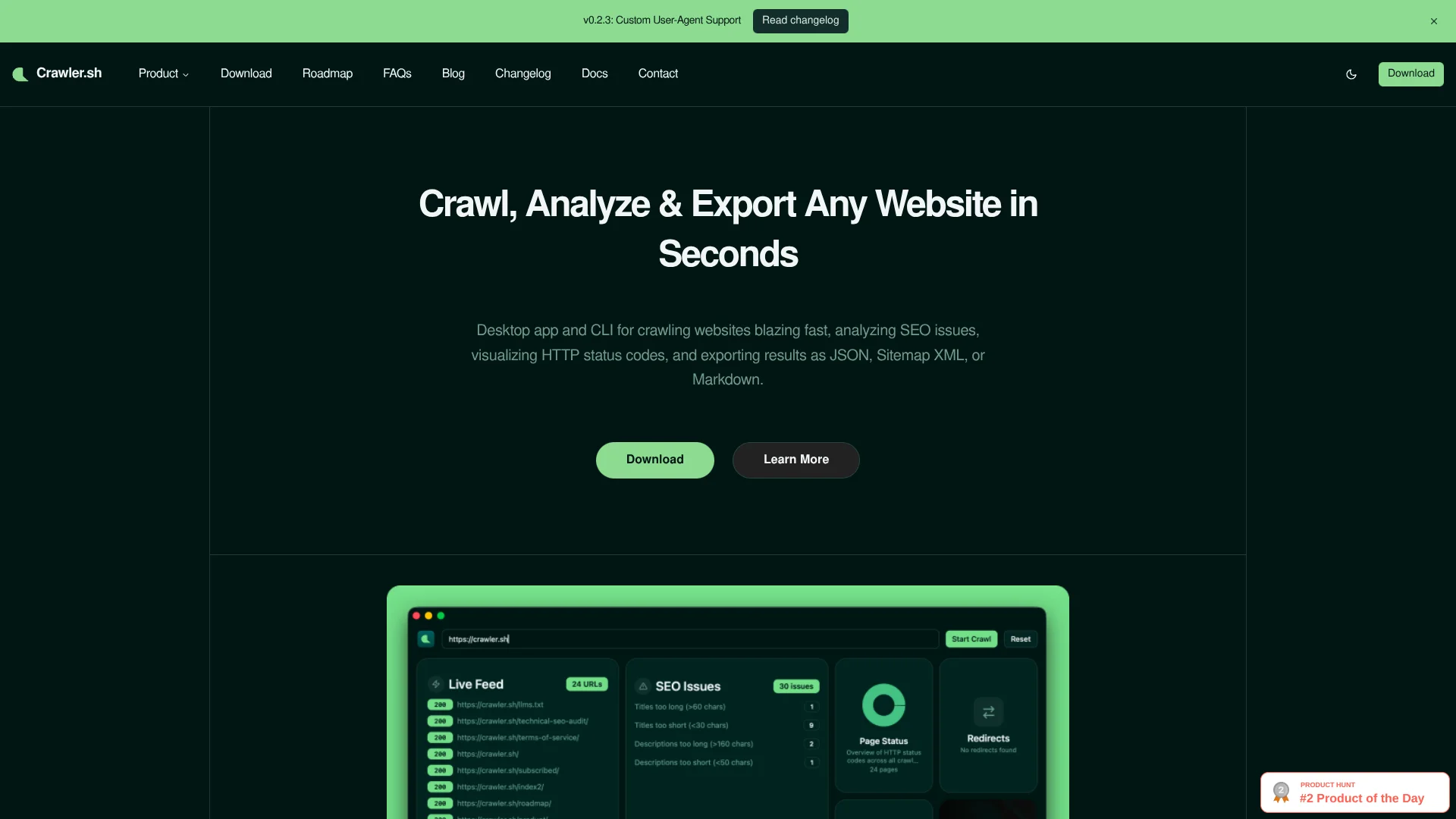
crawler.sh focuses on one job: crawling websites quickly from a local machine, then turning that crawl into structured data for SEO audits, content archiving, and sitemaps. It comes as both a desktop app and a command line tool, so it works for technical SEOs, developers, and marketers who prefer a visual dashboard.
What is crawler. sh? crawler. sh focuses on one job: crawling websites quickly from a local machine, then turning that crawl into structured data for SEO audits, content archiving, and sitemaps. It comes as both a desktop app and a command line tool, so it works for technical SEOs, developers, and marketers who prefer a visual dashboard. Key Features: High-speed site crawling: Crawls entire domains in seconds with configurable concurrency, depth limits, and polite delays so users can tune performance without hammering servers. Content extraction to Markdown: Automatically isolates main article content on each page and converts it to clean Markdown, with word count, author byline, and excerpt for consistent downstream use. Automated SEO analysis: Runs 16 checks per URL to flag missing titles, duplicate meta descriptions, noindex tags, thin content, long URLs, and similar issues, then exports them as CSV or human-readable TXT. Multiple export formats: Streams crawl results as NDJSON for pipelines, or exports as JSON arrays, Sitemap XML that follows W3C guidelines, and Markdown content archives. Desktop dashboard and CLI: The CLI provides crawl, info, export, and SEO subcommands, while the desktop app adds a visual dashboard, real-time crawl feed, SEO issues panel, and per-URL content previews.
Key Features
High-quality AI image generation
Multiple artistic styles support
Customizable output parameters
Image editing and enhancement
Batch processing capabilities
Screenshots
FAQ
Common questions
Use Cases
User Reviews
What users say
No approved reviews yet.
Alternatives to crawler.sh
View allDomainsGPT
Freemium
In today's digital landscape, the importance of a catchy, memorable domain name cannot be overstated. This is where
Logomaster
Freemium
Create a logo in minutes, with thousands of high-quality templates and customizable options.
Luxand.Cloud
Freemium
Luxand.Cloud offers a premier free face recognition API designed for fast and accurate facial search capabilities. The
Corpus-X
Ready to try crawler.sh?
Open the official crawler.sh website to verify latest features, plans, and product updates.
Freemium
Corpus-X is an AI development company that offers custom AI chatbots and analytics for seamless data integration and